Capture what happened.
Type or dictate your field notes while the details are fresh. Record what you found, what you did, and what you discussed.
Built for individual HVAC technicians and companies
Turn HVAC technician notes and equipment checklists into clear service reports and invoice descriptions—ready to review and copy into your work order.
15 free reports. No credit card required.
Your expertise in the field. Clear communication on the page.
NOTES → CHECKLIST → REPORTLESS TYPING. MORE OF THE VISIT.
The note was simply “Furnace maintenance.” The technician’s checklist supplied the work completed and the condition of the system.
ORIGINAL TECH NOTE
Furnace maintenance
FROM THE TECHNICIAN’S CHECKLIST
THE CUSTOMER REPORT · EXCERPT
● Performed furnace maintenance.
● Replaced the air filter.
● Wiped out the furnace.
● Cleaned the flame sensor.
The workflow
Keep your HVAC field notes, maintenance checks, and customer report together, from your first observation to the write-up you share.
Type or dictate your field notes while the details are fresh. Record what you found, what you did, and what you discussed.
Work through the relevant checklist. Keep readings, completed work, and items needing attention with the visit.
Generate a structured customer report, review it for accuracy, and copy it into your work order.
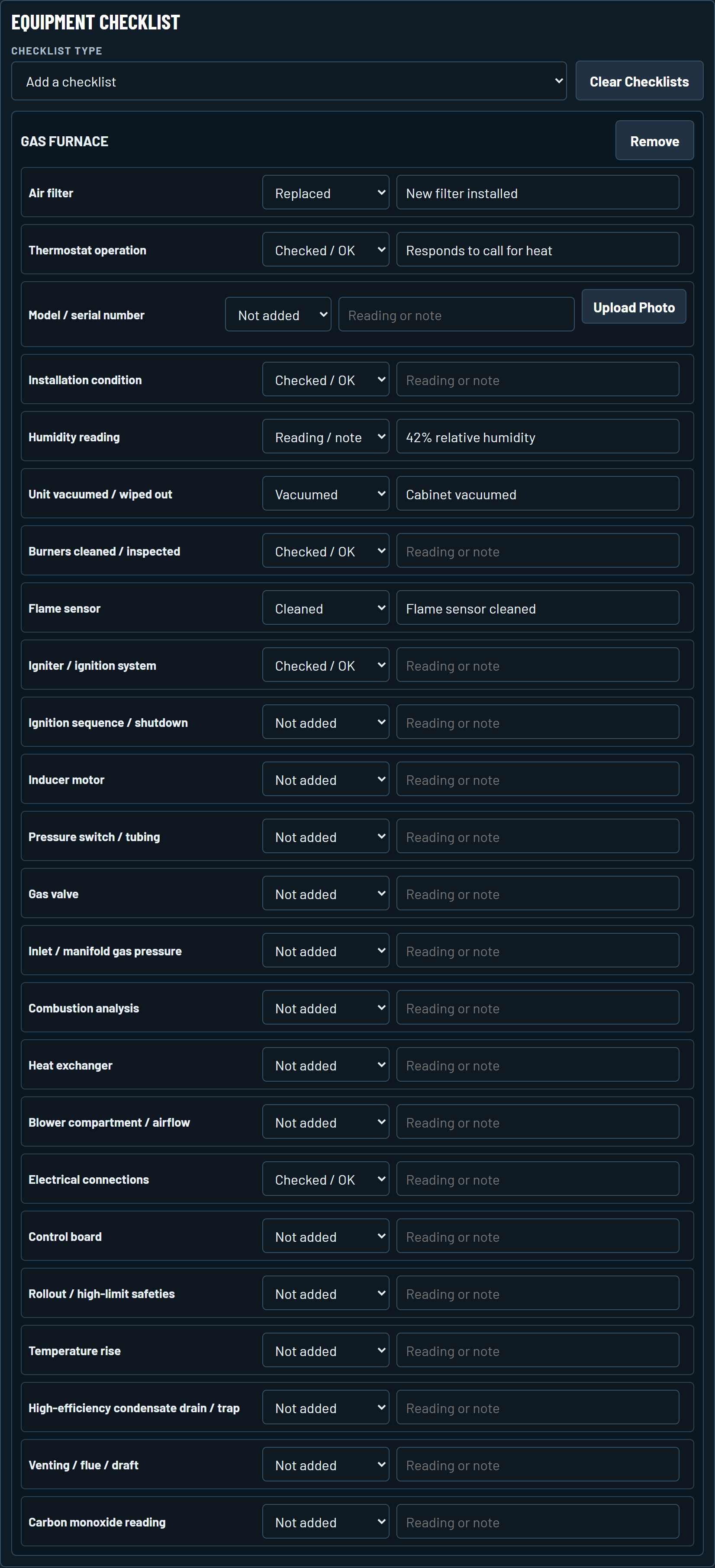 Open full checklist ↗
CAPTURE THE WORK AS YOU GO
Choose an equipment checklist, mark what you checked or completed, and add readings where they matter.
Your notes and selections give the report the details of the visit. Review the finished write-up before sharing it.
See what a real checklist became ↑CHOOSE THE EQUIPMENT. CAPTURE THE DETAILS.
Explore all seven available checklists. Select a picture to see the full checklist.
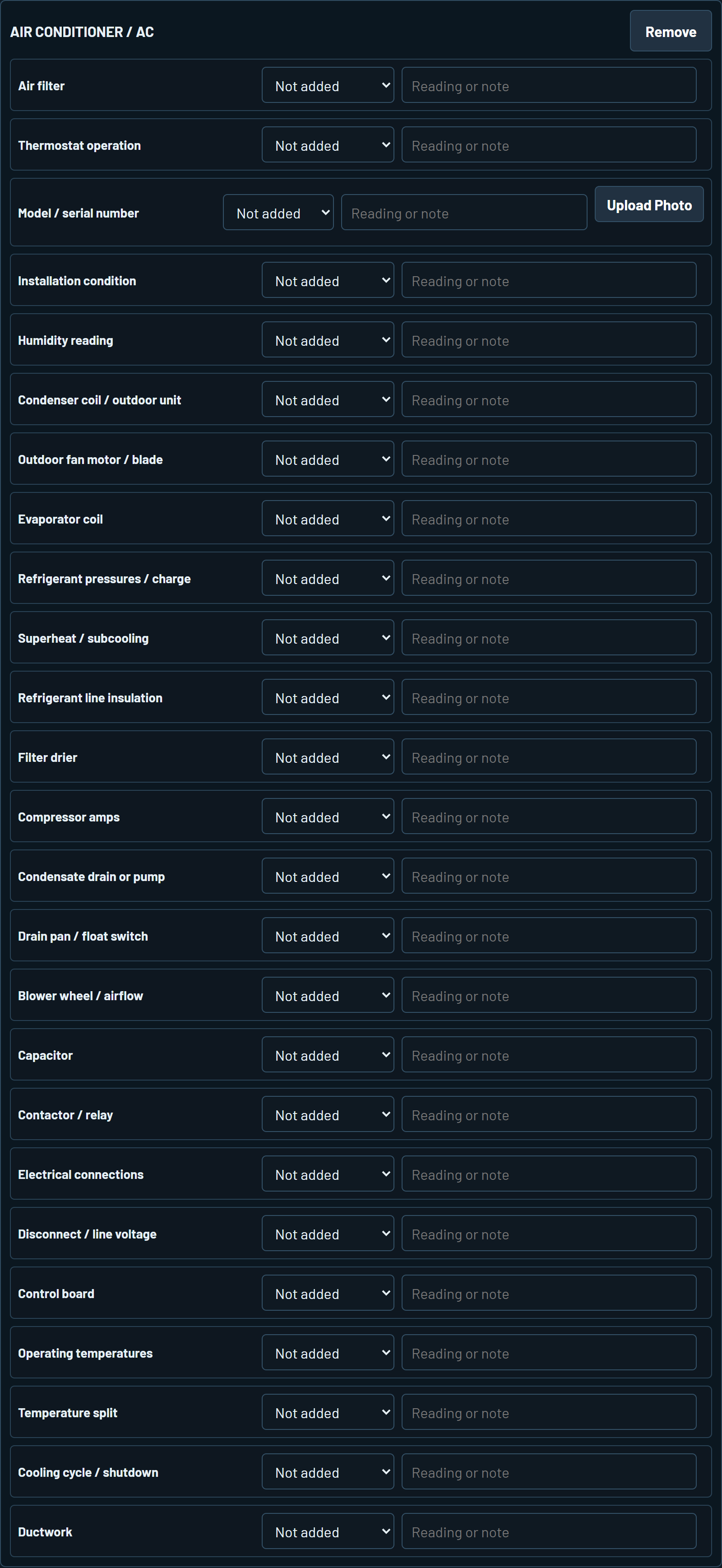 25 checklist items ↗
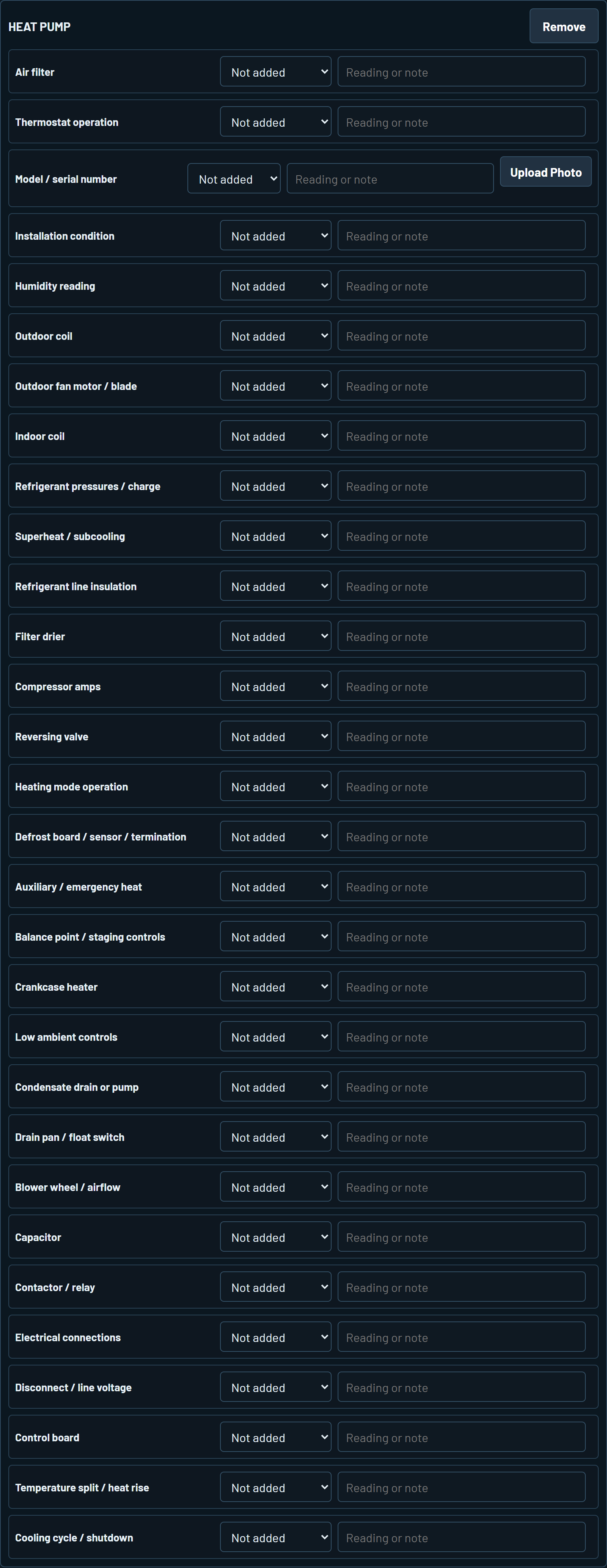 30 checklist items ↗
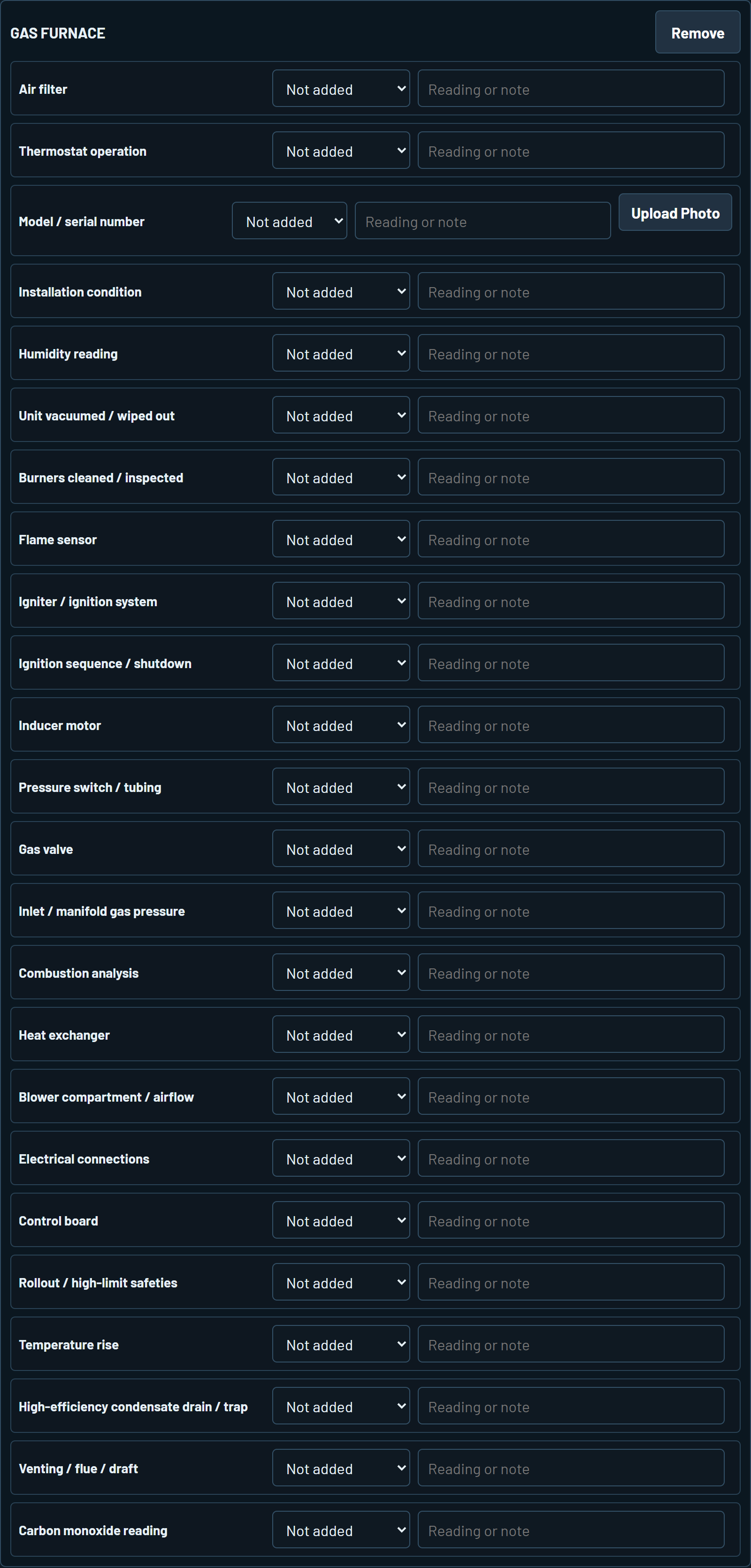 24 checklist items ↗
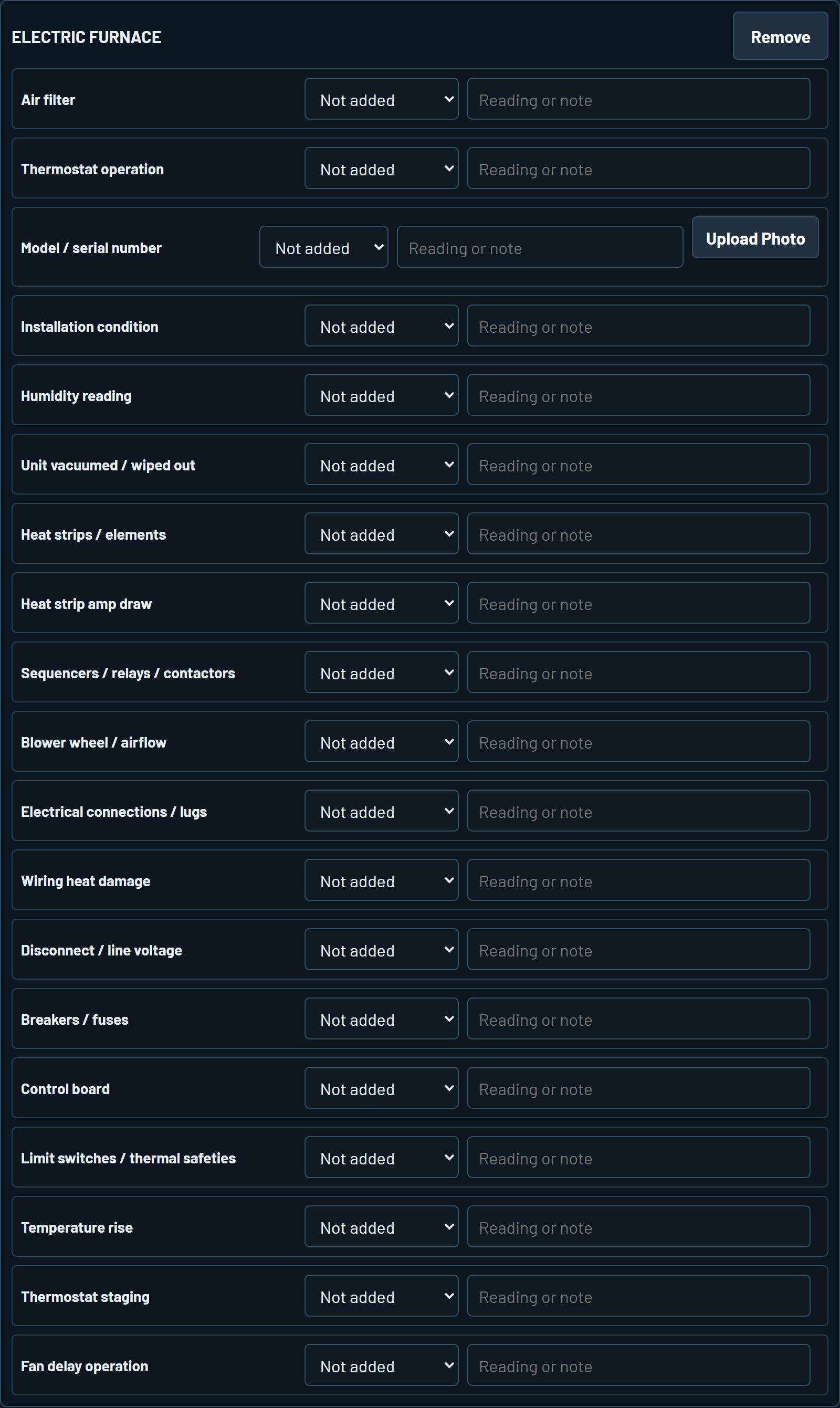 19 checklist items ↗
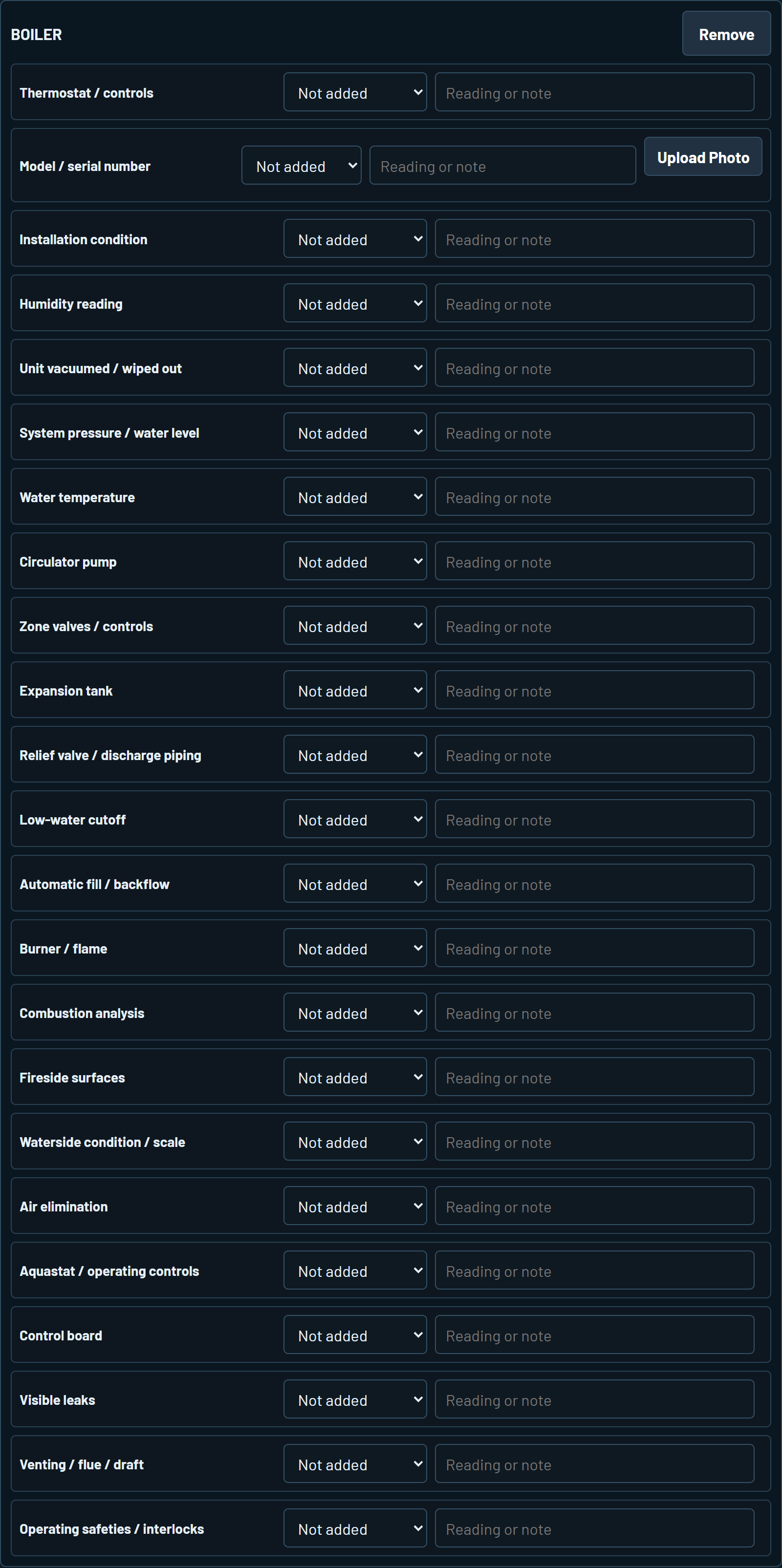 23 checklist items ↗
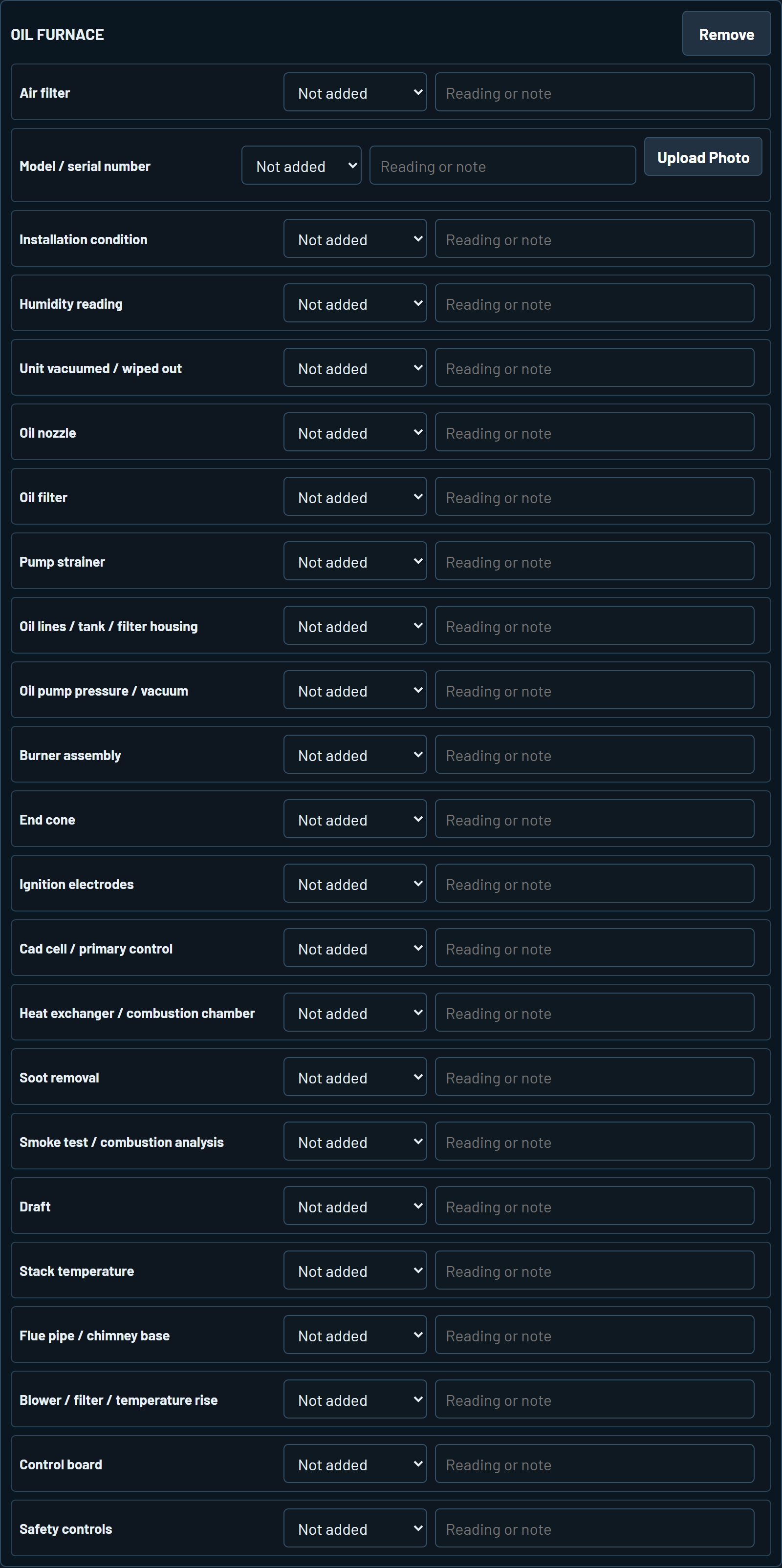 23 checklist items ↗
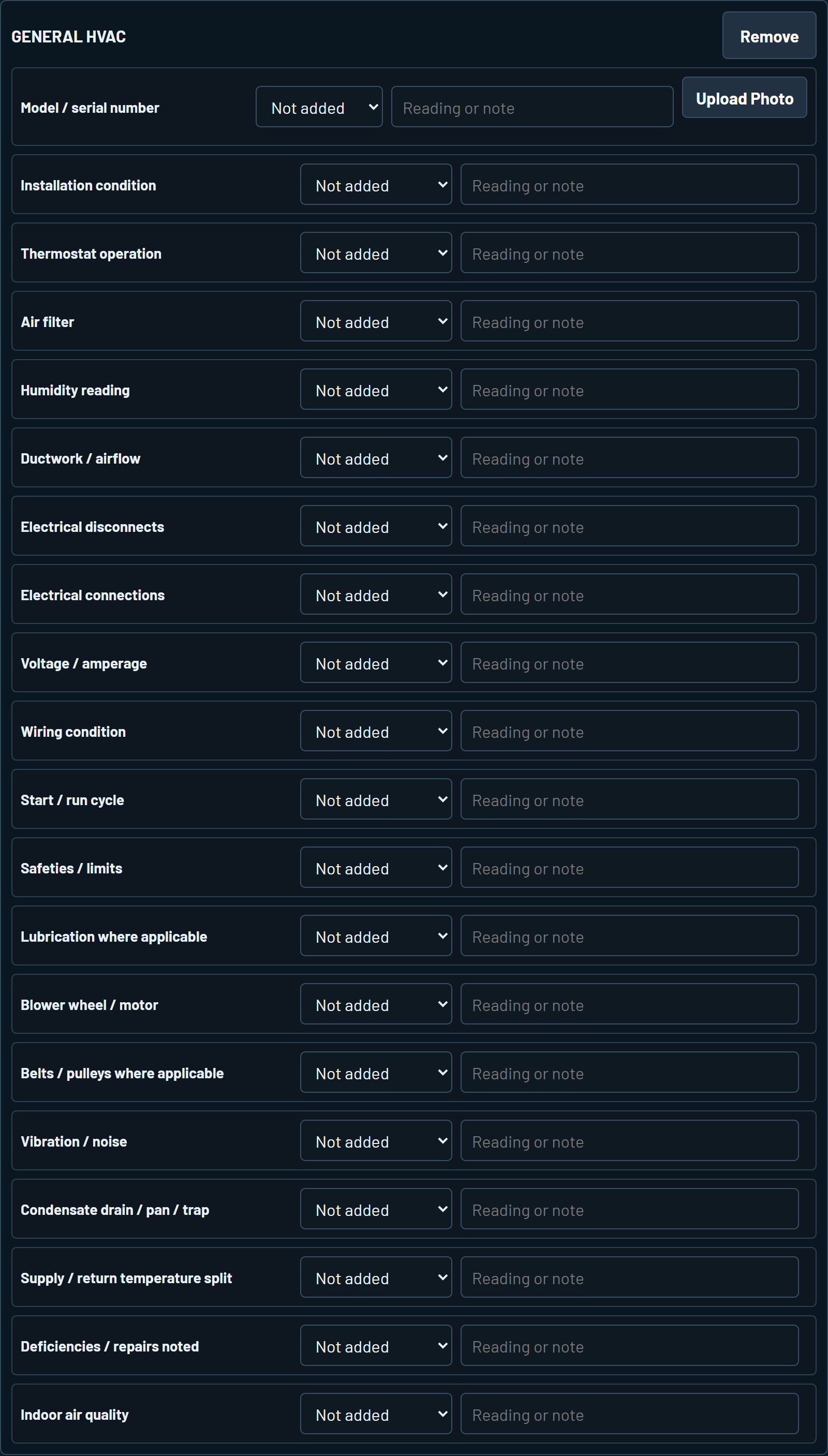 20 checklist items ↗
Actual app screens · Blank checklist templates · Pictures show excerpts
We can add more. Tell us what equipment you work on and what you'd like included.
FOR THE TECHNICIAN WHO TAKES PRIDE IN THE JOB
Give your boss a clearer picture of the work you do.
Turn your field notes and checklist selections into a clear service description. Review it, then copy it into your company's invoice or work order so your manager and customer can see what you checked, what you fixed, and what comes next.
Start with your own service calls on an individual plan.
Start free trial15 free reports. No credit card required.
Three words in the notes. Twenty checklist selections.
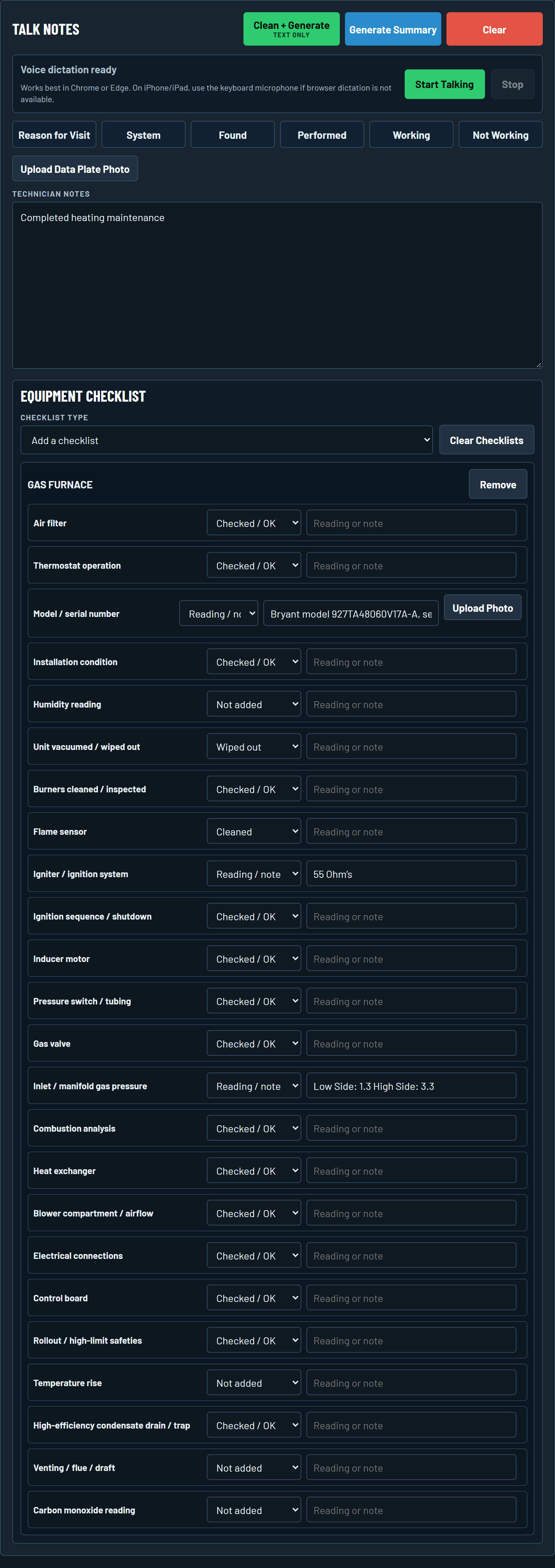 GAS FURNACE CHECKLIST · READING EXCERPT
View all notes and 20 selections ↗
The recorded readings stay with the visit: 55 ohms and gas pressure 1.3 / 3.3.
The completed work, system checks, and readings together.
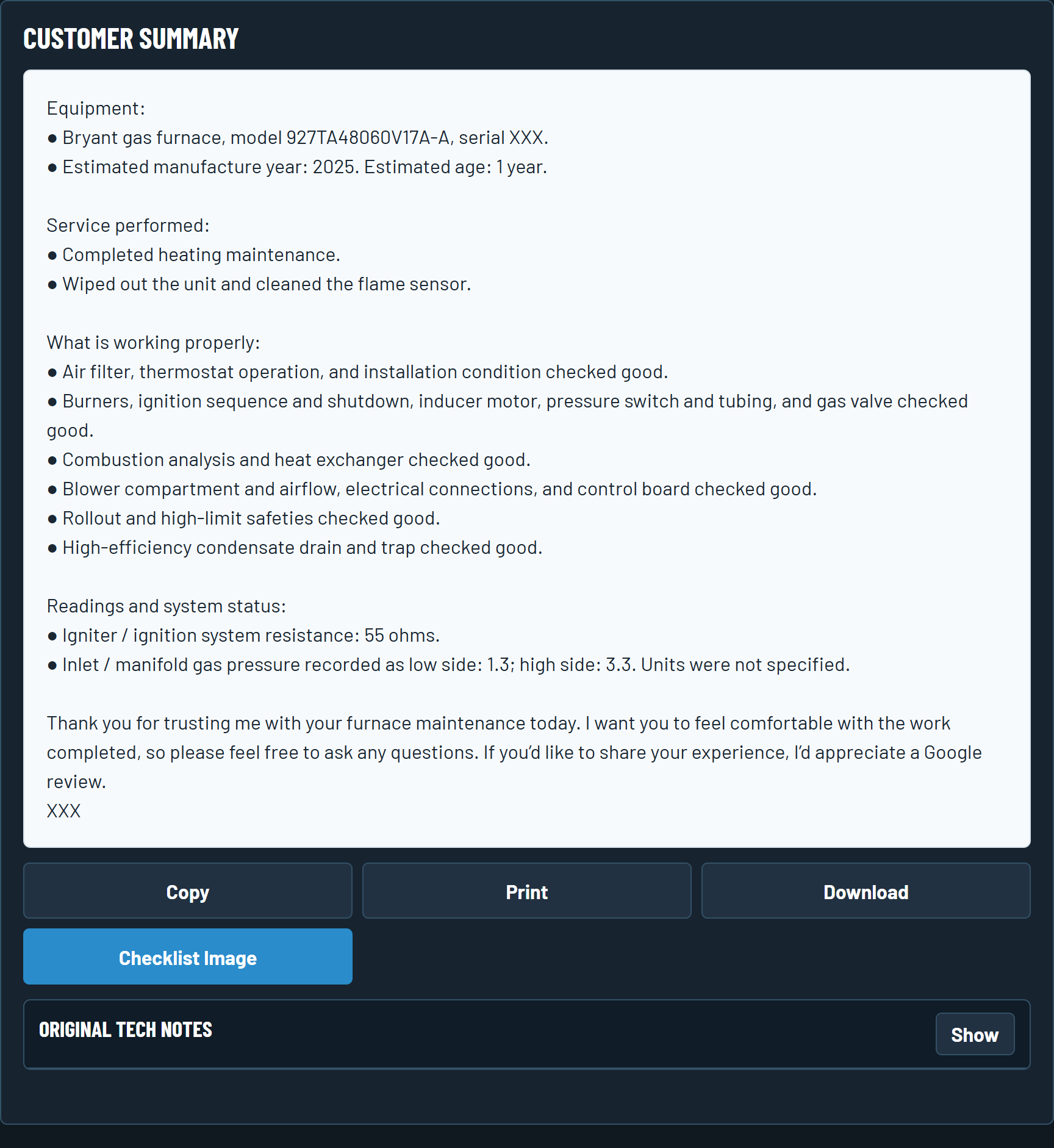 Read the full customer report ↗
Actual app screens showing a saved test example with a sample thank-you closing. Input pictures show excerpts; click to view the full notes and checklist. Equipment serial number and review link redacted.
A BETTER WRITE-UP FOR EVERY INVOICE
Give completed repairs and maintenance a clear description your customer can follow.
Bring the findings, readings, and next steps together for your manager or office team.
Include the options you discussed and what the customer agreed to, based on your notes.
REAL HVAC SERVICE REPORTS
Explore five real visits. Read the original notes, then see how the finished report brings the details together.
Real reports, with personal contact details and serial numbers redacted.
YOURSELF. YOUR CREW. YOUR NEXT STEP.
Use Tech Gibberish for your own service calls, or bring the same clear reporting workflow to your team.
15 free reports per eligible user. No credit card required.
Available to U.S. customers. Start a free trial, then choose a paid subscription separately if you want to keep generating reports. The trial does not automatically become a paid subscription.
Try it on your own service calls. A company trial includes one administrator and one technician, with 15 free reports each. After the trial allowance, a paid account is required to generate more.
1 TECHNICIAN
For a technician or owner-operator handling their own reports.
$29/ month
One person. The complete reporting workflow.
2–10 SEATS
For small companies bringing clearer reports to every service call.
$24/ seat / month
2-seat minimum · Administrator included · From $48/month
11+ SEATS
For larger teams or companies with higher reporting volume.
Let's talk
A quote based on your team and usage.
A small team, a simple total. 5 seats: $120/month. 10 seats: $240/month. Include your administrator when counting seats; ask about a custom plan for larger teams.
Prices in USD, billed monthly, plus applicable tax. Paid subscriptions renew monthly until canceled. Start a free trial for yourself or your company. Manage your subscription in Account.
During the trial, each successful generation counts, including a requested regeneration. Failed generations do not count. You can still read and copy existing reports after using your free generations. Choosing a paid plan is a separate step; there is no automatic charge.
Paid plans include unlimited reports for named users, subject to reasonable security and rate controls. Ordinary cancellation keeps paid access through the current paid period. Request a first-payment refund within seven days; an approved refund cancels renewal and ends paid report generation.
A FEW THINGS TO KNOW
How it works, what the free trial includes, and where your report goes next.
See the real report examplesBoth. Tech Gibberish is built for individual HVAC technicians and companies. Use it for your own service calls, bring it to a team of 2–10 named users, including the administrator, or ask about a custom plan for a larger company.
Each eligible user gets 15 free report generations to try on real service calls. A company trial includes one administrator and one technician, with 15 reports each. No credit card is required. This is a one-time allowance, not a monthly refill. After those 15 generations, a paid account is required to generate more reports.
Each successfully generated report counts once. If you ask the app to generate it again, that counts as another generation. Failed generations do not count. Reading or copying an existing report does not use your allowance.
You can still read and copy your existing reports. To generate another report, you will need a paid account. You choose whether to continue; there is no automatic charge.
A short note can be enough when your checklist records the work and findings. You can type or dictate notes, then add the relevant checklist selections and readings. Include unusual findings, customer decisions, and next steps so the report has the details it needs.
Yes. Generate the service report, review it for accuracy, and copy the text into the description or notes field of your invoice or work order. Tech Gibberish prepares the write-up; your existing software handles prices and billing. You stay in control of what you share with the customer.
Yes. Tech Gibberish uses AI to turn your notes and checklist selections into a clear report. Check that it accurately reflects the visit, including the equipment details, readings, work completed, and customer decisions. Correct anything that needs attention before sharing it.
Email info@tech-gibberish.com for help, or create an account to start your free trial. The trial includes one administrator and one technician. See our Terms, Privacy Notice, and Refund and Cancellation Policy.
FOR YOU OR YOUR COMPANY
15 free reports. No credit card required.
Start a free trial for yourself or your team. The company trial includes one administrator and one technician, with 15 free reports each. Choose a paid account separately to generate more after the trial.
Verify your email, then choose Individual or Company to create your account. No credit card is required for the trial.
info@tech-gibberish.comPlease avoid including customer or job details in a support email. Read the customer app Privacy Notice.
Already have access? Sign in to the app →
HVAC DOCUMENTATION RESOURCES
Compare field notes, recorded checklist selections and service narratives. Keep the facts of each visit in view.
See how furnace, heat-pump and AC visit records become clear reports.
Read the guide →02Separate completed work, findings and pending recommendations.
Read the guide →03Read all 24 documentation fields and a worked furnace report.
Read the guide →